SafeScan turns your iPhone or iPad into a four-signal detection sweep — Wi-Fi, Bluetooth, magnetic, and camera lens — with no extra hardware.
A hidden camera leaks signals in more than one way. SafeScan runs all four so a device that hides from one still shows up on another.
Reflections off the glass, and the infrared LEDs that night-vision cameras use in the dark. LiDAR-assisted where supported.
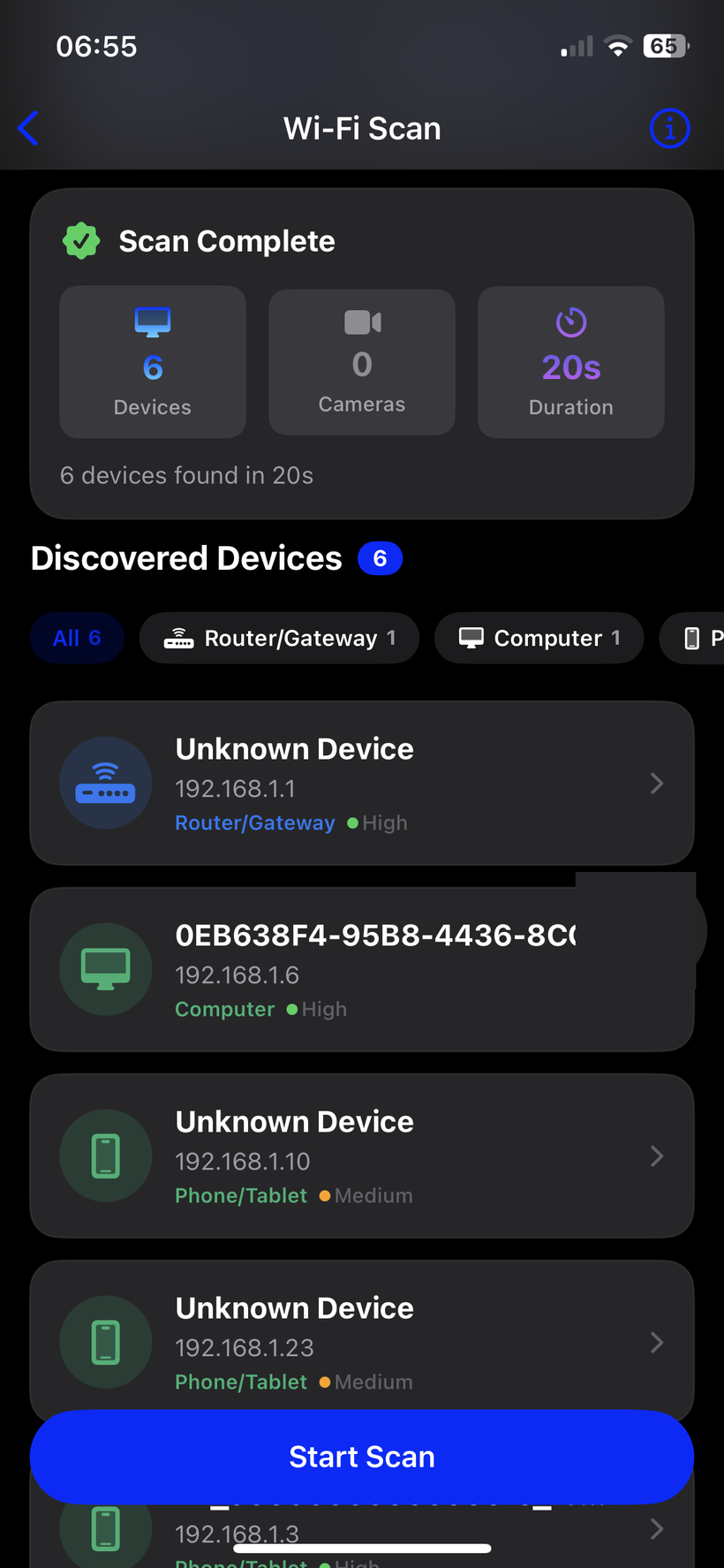
Lists every device on the local network and flags the ones that behave like cameras.
Field anomalies from electronics concealed in walls, vents, smoke detectors, and fixtures.
Trackers and wireless bugs transmitting nearby, with live signal strength and distance.
Most detectors check Wi-Fi and Bluetooth. A camera that records to an SD card and never touches the network is invisible to them.
Wi-Fi and Bluetooth alone miss cameras that record locally. SafeScan runs all four.
Open the tool for the signal you want to check — Wi-Fi, Bluetooth, magnetic, or camera lens.
Walk the room, holding your device near outlets, vents, smoke detectors, and mirrors.
SafeScan marks anything suspicious so you can take a closer look.
Camera, network, and sensor data from a scan are processed on-device and are never uploaded or shared. No account, no sign-up.
Like most free apps, it uses Google AdMob, which collects data for advertising. SafeScan Premium removes all ads and the ad SDK is switched off entirely for subscribers.
We collect aggregate, non-identifying usage data to fix bugs and improve detection. You can turn this off in Settings.
Your phone's radios and sensors genuinely detect the signals hidden cameras give off — network traffic, Bluetooth, magnetic fields, lens reflections, infrared. It's a real sweep, not a gimmick. It is not lab equipment — see the limits below.
A camera that is fully powered off. A purely analog wired camera far from your phone may not move the magnetometer. Lens detection needs you to get close and works best in a dark room. Run all four scans for the best coverage.
No. All four scans are free, with ads and a weekly allowance per tool. Premium removes ads and limits.
The scans work without internet. A full offline mode — no network permission needed at all — is a Premium feature.
iPhone and iPad, iOS 16 or later. There is no Android version.
No. Scan data stays on your device and is never uploaded.
 SafeScan